PixelPlanet
Versions
Index
Functions
System requirements
Examples
Screenshots
License models
References
Support
Download
Order

Newsletter subscription:


Trial Version To test PdfGrabber before you buy feel free to download the PdfGrabber trial version. The trial version contains all features of PdfGrabber Professional. It adds random X's to the exported text. This restriction no longer occurs in the full version of PdfGrabber.

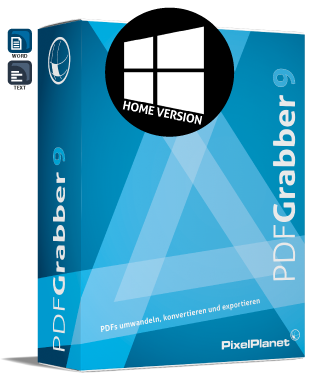
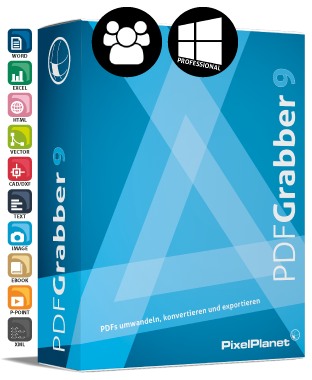
PDF to Word/RTF export (.rtf, .doc) Home Std. Prof.
NEW: Office 2007 Support
- Flow text
- Tabulator layout
- Text fields layout
- multi-column layout - -
- Compatibility mode (MS Word, OpenOffice, WordPad)
- Option: Superscript/subscript
- Option: Black and white
- Option: Graphic display of lines
- Option: Embed TrueType fonts
- Option: Form field contents
- Option: Hyperlinks
- Option: Images (quality: maximum, high, average, low)
NEW: Improved Output Quality
Warning with oversized PDFs and scaling to maximum Word size.

A list with all the new features in Version 4.0 can be found here.

PDF to Text (ASCII) export (.txt) Home Std. Prof.
Unicode support
- Flow text
- Space character layout
- Option: Form field contents
- Option: Definable number of characters per line and page

A list with all the new features in Version 4.0 can be found here.

PDF to Excel (.xls), native export Home Std. Prof.
NEW: Office 2007 Support -
- Improved output quality -
- Excel -
NEW: - rotating text -
- HTML -
- Special functions for reconstructing tables and cell formats -
- Higher layout parity -
- Improved facilities for calculating -
- Option: Output of several PDF pages to an Excel spreadsheet -
- Option: Output of tables only with 'Output to a spreadsheet' -
- Option: Black and white -
- Option: Images -
- Option: Form field contents -
- Option: Pre-selection of output quality -

A list with all the new features in Version 4.0 can be found here.

PDF to Excel (.xls), remote control of Excel Home Std. Prof.
NEW: Office 2007 Support -
- Improved output quality -
- MS Excel -
- CSV (separated with a comma) -
NEW: - rotating text -
- HTML -
- dBase IV -
- Option: Output of several PDF pages to an Excel spreadsheet -
- Option: Output of tables only with 'Output to a spreadsheet' -
- Option: Black and white -
- Option: Images -
- Option: Form field contents -
- Option: Pre-selection of output quality -

A list with all the new features in Version 4.0 can be found here.

PDF to Image Export Home Std. Prof.
NEW: - Entire PDF as (a) Tiff, e.g. for archiving purposes - -
- Output of an entire PDF page as an image -
- Tiff, Jpeg, Bitmap, PNG, PSD -
- Option: Grey levels -
- Option: Export lines and vectors as images -
- Option: Group adjacent images into a single image -
- Option: Scaling (1-100%)  
- Option: Image resolution Tiff (72 - 1200 dpi) -

A list with all the new features in Version 4.0 can be found here.

PDF to PowerPoint Export Home Std. Prof.
- MS Powerpoint - -
- Option: Black and white - -
- Option: Images - -
- Option: Export lines and vectors as images - -
- Option: Embed TrueType fonts - -
- Option: Quality of cam elements (high, middle, low) - -
- Option: Save as a presentation (.ppt), template (.pot), Pack & Go presentation (.pps) - -

A list with all the new features in Version 4.0 can be found here.

PDF to DXF (AutoCAD) export Home Std. Prof.
NEW: Output of real curves - -
NEW: Image Output - -
PDF layer support (copy from PDF) - -
- Option: Black and white - -
- Option: Texts - -
- Option: Fonts - -
- Option: Use CAD fonts - -
- Option: Create layer - -
- Option: Hatching and fill colors - -
- Option: Cam element quality (maximum, high, average, low) - -

A list with all the new features in Version 4.0 can be found here.

PDF to XML export Home Std. Prof.
NEW: Image Output - -
NEW: Output of image information - -
- Encoding: UTF-8 or ISO 8859-1 - -
- Option: Text output as 'word' or 'sentences' - -

A list with all the new features in Version 4.0 can be found here.

PDF-Printer Home Std. Prof.
NEW: Creating PDF using a context menu via the right mouse button directly from Windows Explorer (for well-known file types with registered print function) -
- Creation of PDF documents from any application using a printer driver -
- Reconversion of exported documents to PDF format -

A list with all the new features in Version 4.0 can be found here.

Operation Home Std. Prof.

Export individual PDF files

Export several PDF files simultaneously - -
Microsoft Office integration (MS Office 2000 or later)
NEW: Office 2007 Support
- Microsoft Word (as of Word 2000)
- Microsoft Excel (as of Excel 2000) -
NEW: Creating and exporting PDF documents via the right mouse button directly from Windows Explorer
Integration into Windows Explorer ('Export with PdfGrabber' context menu)
Remote control via command line parameters - -
Monitored folders with definition of the export options to be used for automated export - -
Page Ranges
- All pages
- Individual pages
- Pages 'from - to'
- Store pages as individual file
NEW: Content editor (export area defined by a frame) -
Search texts - -
- Pages begin with - -
- Pages end with - -
Drag'n'drop support

A list with all the new features in Version 4.0 can be found here.

NEW: Content Editor Home Std. Prof.
NEW: Content editor (Export area defined by a frame) -
NEW: - Option: Export content for current page -
NEW: - Option: Export content for all pages -
NEW: - Option: Export content for defined pages & areas -
NEW: Define your own export area per document page -
NEW: Edit the PDF Structure -
NEW: - Backup of original PDF file -
NEW: - Option: Rotate PDF pages -
NEW: - Option: Rotate pages clockwise -
NEW: - Option: Delete pages -
NEW: - Display hidden contents (displays PDF contents which, as the case may be, lie outside the visible range) - -
NEW: - Save changes to the PDF structure -
NEW: Save defined export contents with the document - -

A list with all the new features in Version 4.0 can be found here.

Support for additional PDF features Home Std. Prof.

Rotated Texts

Clipping (cut out elements)
Z-order (element sequence)
Shadings (color gradations)
PDF 1.6 / Acrobat 7 compatible (object streams, encoding)
Password-protected documents
Table of contents - -
Metadata - -
Preview images - -

A list with all the new features in Version 4.0 can be found here.

Type options Home Std. Prof.
NEW: Improved font recognition
Remapping of fonts with OCR

Type extraction: Type 1, CID fonts (Asian type)

Conversion of Type 1 font into OpenType
of OpenType font (as of Windows 2000)
Graphic display of Type 3 fonts

A list with all the new features in Version 4.0 can be found here.

General Features Home Std. Prof.

NEW: Windows Vista Support

NEW: Improved User Interface

Optimized speed

Text recognition (OCR) from scanned documents (text only; Microsoft Office 2003 or later)

NEW: Improved Output Quality

Improved output quality

Improved interface (direct access to page ranges)
Automatic recognition of rotated pages

Improved output quality

Improved interface (direct access to page ranges)
Password administration for opening protected documents - -
Lower memory consumption through swap files (large documents)
Switchable multilingual interface (German, English, French)
Online Help
Online Updates via XpressUpdate
Reports: Log file, installed types

A list with all the new features in Version 4.0 can be found here.

Profile management Home Std. Prof.

11 predefined profiles

Storage of profile settings - -
Storage of user-defined profiles under a new name - -
Selection of output directory
Actions the export operation (query user, open document, open output folder, no action)

A list with all the new features in Version 4.0 can be found here.

Prices Home Std. Prof.

Version for Win32

Product price* 32.77 EUR
Order
66.39 EUR
Order
105.04 EUR
Order

*Prices plus VAT (19%) for certain regions

[System requirements...]


© Copyright 1996-2008 PixelPlanet Contact | Press | Disclaimer | Imprint